

Introduction
What is an AI image maker?
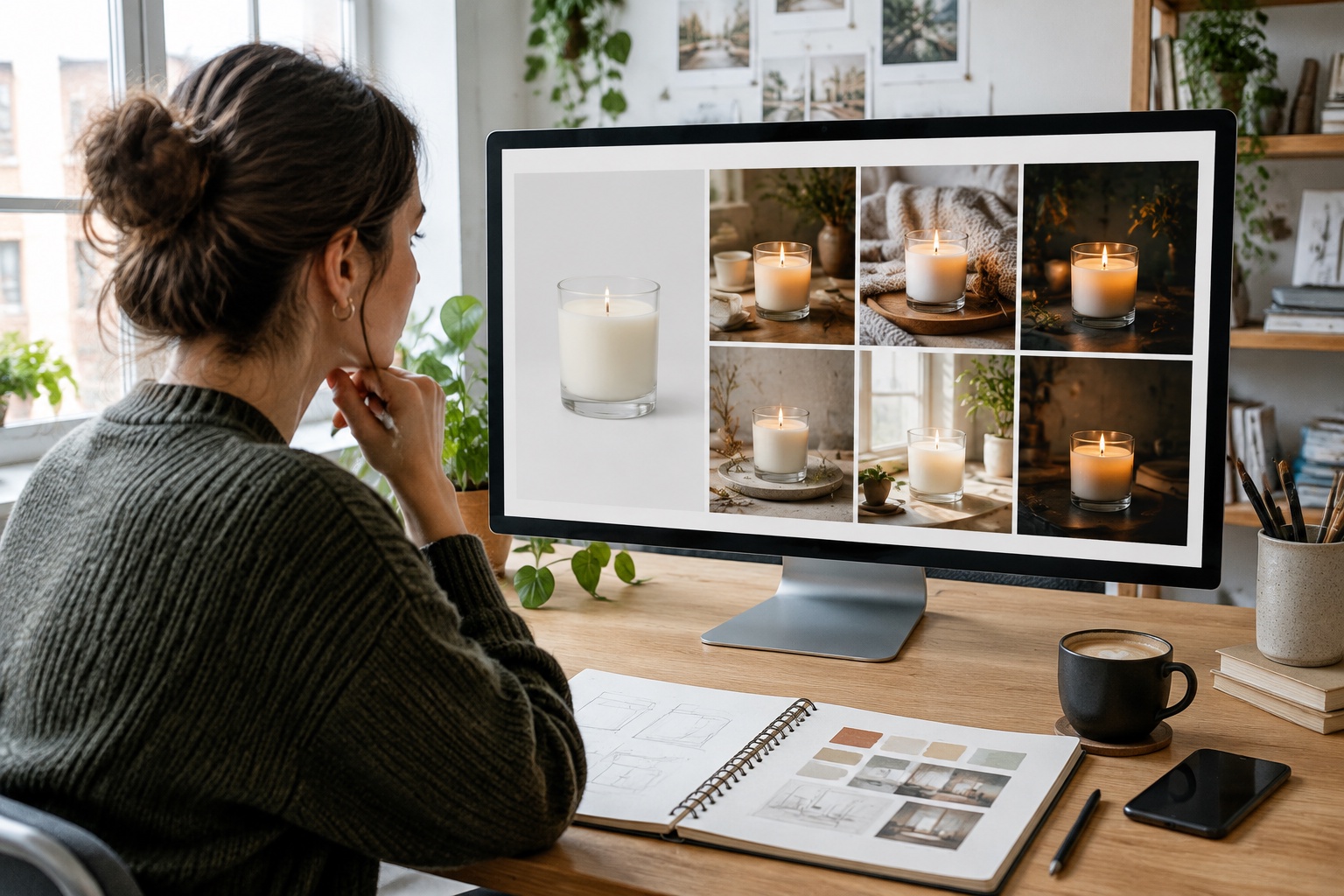
An AI image maker is software that uses artificial intelligence to create or edit images. The most common type is text-to-image: you describe what you want, and the tool generates original images in seconds. Many tools also offer image-to-image features, which restyle or extend an existing photo, plus AI image enhancement such as upscaling, sharpening, background removal and object removal.
Most AI image makers use diffusion models, trained on very large collections of images and descriptions. The model starts from random visual noise and gradually shapes it into an image that matches your prompt. Well-known examples include Adobe Firefly, ChatGPT image generation, Microsoft Bing Image Creator, Canva’s AI image generator, Midjourney, Leonardo and Pixlr.
Importance in creative projects
Visuals drive attention online. Social posts, adverts, websites, presentations and product listings all depend on strong images. Traditionally, that meant photography, stock libraries or design time. AI image makers add a fast, flexible option for concepts, illustrations, backgrounds and variations.
For small businesses and freelancers, that can mean producing more content with less budget, testing ideas quickly and creating visuals that would otherwise be impossible. For creative professionals, AI can speed up ideation and routine edits, leaving more time for refinement and original work.
Benefit 1: Speed and efficiency
Rapid image generation
An AI image maker can produce several options in seconds. You can explore different styles, compositions and colours almost instantly, then refine the best one. That speed is especially useful for social media, where fresh visuals are needed every week.
Editing is faster too. Background removal, upscaling, resizing for different platforms and removing unwanted objects, which once took careful manual work, can now be done in a click.
Comparison with traditional methods
AI works best alongside traditional methods rather than replacing them. Real photos of your team, products and premises usually build more trust, while AI is ideal for concepts, backgrounds, illustrations and variations.
- Photography: authentic and high quality, but needs planning, equipment, locations and editing time.
- Stock images: quick, but often generic and used by many other businesses.
- Custom design: tailored and original, but takes designer time and budget.
- AI image maker: fast and flexible, but needs good prompts, checking and sometimes editing.
Benefit 2: Enhanced creativity
AI image enhancement capabilities
AI image enhancement improves existing images without starting from scratch. These tools can rescue imperfect photos and give a consistent, polished look.
- Upscaling: increase resolution for print or large displays.
- Sharpening and denoising: improve low-light or slightly blurry photos.
- Background removal and replacement: place products in new scenes.
- Generative fill and expand: add or extend parts of an image.
- Object removal: clean up distractions.
- Colour correction and relighting: match a brand look.
- Style transfer: restyle photos as illustrations or other aesthetics.
Inspiring new design ideas
AI image makers are excellent for brainstorming. You can visualise a campaign idea, mood board, packaging concept or event theme before investing in production. Generating many variations often sparks ideas you would not have considered.
Treat AI output as a starting point. Combine it with your brand guidelines, real photography and human design judgement to create visuals that feel original and on-brand rather than generic.
Benefit 3: Cost-effectiveness
AI image maker free options
Several tools offer free access, usually with limits on the number of images, resolution, speed or commercial use. Free plans change often, so check current terms before relying on them.
- Microsoft Bing Image Creator and Designer: free image generation with a Microsoft account, with usage limits.
- ChatGPT: image generation available to free users with limits.
- Canva: AI image generation with limited free uses, more on paid plans.
- Adobe Firefly: monthly free generative credits, with more on paid plans.
- Pixlr, DeepAI and Dream by Wombo: free generators with limits or watermarks.
Budget-friendly for freelancers and start-ups
For freelancers and start-ups, AI image makers can reduce spending on stock images, illustrations and simple design tasks. A modest subscription can replace many individual purchases. That frees budget for areas where professional work adds most value, such as brand identity, product photography and key campaigns.
Consider total cost: paid credits, higher-resolution exports, commercial licences and your time writing prompts and checking results. For businesses producing regular social content, an all-in-one tool that combines image generation with captions and scheduling may offer better value than several separate tools.
Benefit 4: Versatile applications
AI graphic generator in various industries
- Retail and ecommerce: product scenes, lifestyle backgrounds and seasonal visuals.
- Hospitality: menu illustrations, event promotions and atmospheric graphics.
- Beauty and wellness: branded promotional graphics and educational visuals (avoid misleading before-and-after images).
- Property: concept visuals and virtual staging, clearly labelled as illustrative.
- Education and training: diagrams, course graphics and presentation visuals.
- Professional services: blog headers, LinkedIn graphics and report illustrations.
Use cases in marketing, social media and art
In marketing, AI images help with ad variations, landing page visuals, email headers and campaign concepts. On social media, they provide fresh post images, branded designs, carousel graphics and backgrounds sized for each platform, such as square for feeds, 9:16 for Stories and 2:3 for Pinterest pins.
In art and personal projects, AI tools support illustration, concept art, digital collage and experimentation. Many artists use AI for ideation, then create final works by hand or with traditional digital tools.
Keep it honest and compliant
In UK advertising, images must not mislead. Avoid AI images that exaggerate what a product looks like or achieves, such as unrealistic results in beauty or health ads. The ASA’s CAP Code applies to social media marketing. Copyright for AI-generated works is a developing area in UK law; the UK government has consulted on copyright and AI. Avoid prompts that imitate specific artists, trademarks or real people without permission.
Benefit 5: Accessibility for non-designers
User-friendly tools and platforms
Most AI image makers are designed for people without design training. They run in a browser or app, offer style presets, examples and templates, and let you refine images with simple instructions. Integrated tools such as Canva and Adobe Express combine image generation with templates for social posts, flyers and presentations.
How to generate AI images without technical skills
Example prompt: “A cosy independent café counter with fresh croissants and a latte, soft morning light, warm natural tones, realistic photography, portrait 4:5.”
- 1. Choose a tool that suits your purpose, such as social graphics, product scenes or illustrations.
- 2. Describe the subject clearly: what, who and where.
- 3. Add style details: photographic, watercolour, flat illustration or 3D.
- 4. Specify lighting, colours and mood, for example “soft morning light, warm neutral tones”.
- 5. Choose the aspect ratio for where it will be used.
- 6. Generate several options and pick the best.
- 7. Refine with follow-up instructions or editing tools.
- 8. Check details carefully: hands, text, logos and product accuracy.
- 9. Add your branding and text in a design tool if the AI struggles with lettering.
- 10. Download at the right resolution and save prompts that work well.
AI images for social media with SociGen
SociGen is an AI social media manager for small businesses. Alongside writing posts and captions, it can create AI images and branded designs from your own photos, using your business profile and brand, in the right shape for each platform, then schedule them to Facebook and Instagram. You review and approve everything. The no-deadline free trial includes five text posts and up to ten AI image credits.
Conclusion
The future of AI in creative work
AI image makers will keep improving in realism, control and consistency, with better text rendering, brand-consistent styles and closer integration with design, video and marketing tools. Expect continued debate and regulation around copyright, labelling of synthetic images and authenticity. Human creativity, taste and judgement will remain central.
Encouragement to explore AI image makers
Whether you are a freelancer, start-up, small business or artist, an AI image maker can save time, cut costs and open new creative possibilities. Start with a free tool, experiment with prompts, combine AI with real photography and always check results before publishing. Used thoughtfully, AI becomes a powerful addition to your creative toolkit.
Frequently asked questions
What is the best AI image maker?
It depends on your needs. Adobe Firefly suits commercial design, Canva suits social graphics, ChatGPT and Bing Image Creator are easy for general use and Midjourney is popular for artistic styles.
Is there a free AI image maker?
Yes. Bing Image Creator, ChatGPT, Canva, Adobe Firefly and Pixlr offer free options with limits on usage, quality or features.
How do I generate AI images?
Choose a tool, describe the subject, style, lighting and aspect ratio, generate several options, refine and check the details before using the image.
Can I use AI images commercially in the UK?
Often yes, depending on the tool’s licence. Check terms, avoid imitating artists, brands or real people, and ensure images do not mislead in adverts.
What is AI image enhancement?
Using AI to improve existing images, for example upscaling, sharpening, removing backgrounds or objects, and correcting colour.
Explore the next step
Using Canva? See how its AI image and design tools work.
- Canva AI guide for small businesses
- Current SociGen features and subscription inclusions
- Core and optional Email & CRM pricing
- How AVA Training in Belfast uses SociGen
- The introductory UK marketing automation guide
Sources and further reading
Product statements follow SociGen’s current feature catalogue. Examples are illustrations, not measured customer results. Check current official guidance for your own circumstances; this is not legal advice.